LabChart Support

Beginners Guide to using LabChart

If you don't already have a license but want to try it out, request a demo licence


Licensing Information

LabChart 8 offers a range of data recording and analysis or analysis only licence options. Find out more.


Getting Started

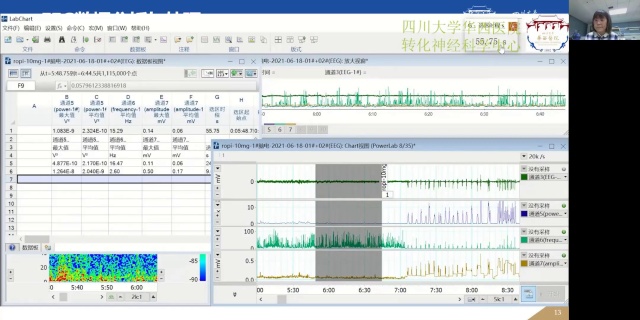
Within the Welcome Centre of LabChart, you will be provided with a helpful getting started Tutorial with tips and tricks to help get you up and running quickly.

Get a quick overview now

Take it to the next level

  • Expand and deepen your knowledge of data acquisition and analysis with LabChart 8 through our online training course. Find out more

LabChart Videos

Filter videos

LabChart Version

GLP Software for LabChart

LabChart Add-Ons

info The easiest way to install Add-Ons is via LabChart's Feature Manager.

Services and training

Our range of interactive, hands-on courses and workshops reduce on-boarding time, and work to increase efficiency and output, helping you achieve your education and research aims, faster.

Online Training Course

Expand and deepen your knowledge of data acquisition and analysis with LabChart 8 through our online training course.


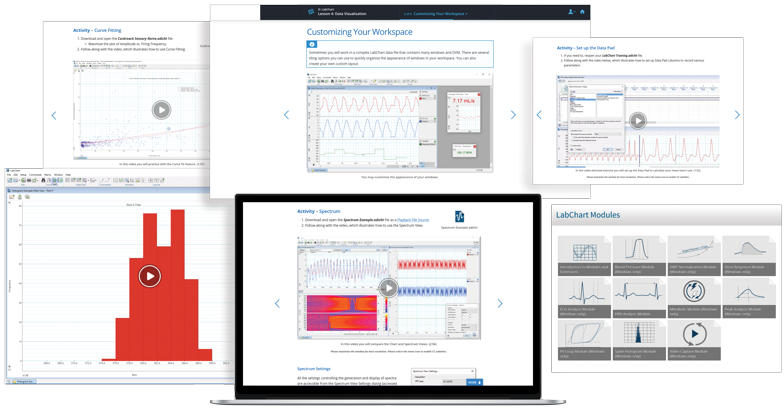
An ideal resource for those wishing to learn in their own time and pace, or looking for an option to train lab staff when social distancing is in place. This course is an online version of our 2-day in person training option via our own active learning educational platform, Lt. Course content includes:

  • Data acquisition basics
  • Filtering and smoothing
  • Using Chart, Scope and Spectrum Views
  • Advanced analysis features, such as Macros and Arithmetic
  • Training on each of the LabChart Pro advanced modules

A comprehensive and interactive way to unlock the meaning of your data.

Each lesson contains:

  • Learning objectives
  • Technique / feature overviews
  • Video-directed exercises with demo files
  • Interactive questions and answers

This option is currently available in North America, South America, UK, and the EU. If you are interested in further details or access to this course, please fill out the form below and we will be in touch.

Show releases for:

LabChart 8.1.6 (Windows)

General

  • Added support for new generation Octal and Quad Bioamps.
  • Added ‘synchrony’ arithmetic expression for showing synchronization between two event channels.
  • Fixed a bug where arithmetic expressions using another channel’s raw data weren’t always being loaded properly from settings files.
  • Added arithmetic expression for spectral coherence with a false color chart view mode.
  • Fixed a bug where data block popup information wasn’t being saved.
  • Fixed a bug where the top row of the data pad may show an value from a previous selection of the data.
  • Fixed a bug where Zeroing and DC Restore actions for a bioamp would be saved in a settings files and actioned when opening an input amplifier dialog.
  • Added support for exporting selected raw channels as LabChart files.